
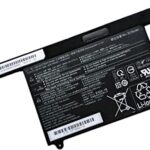
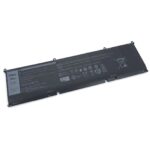


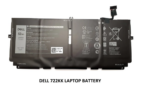
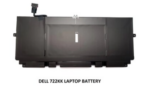
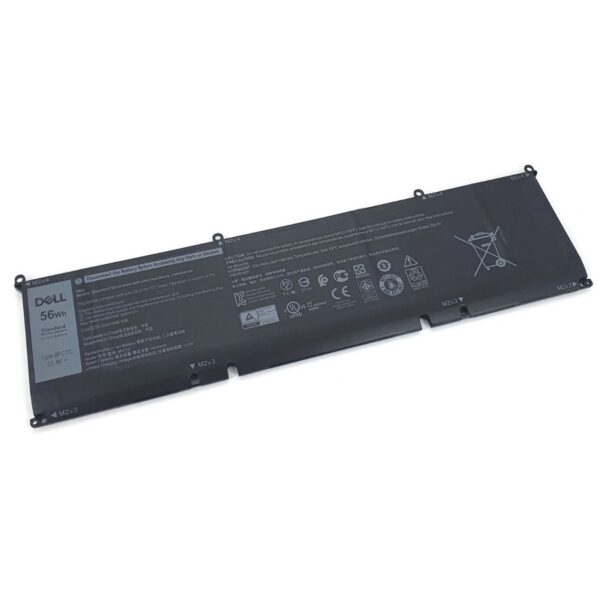
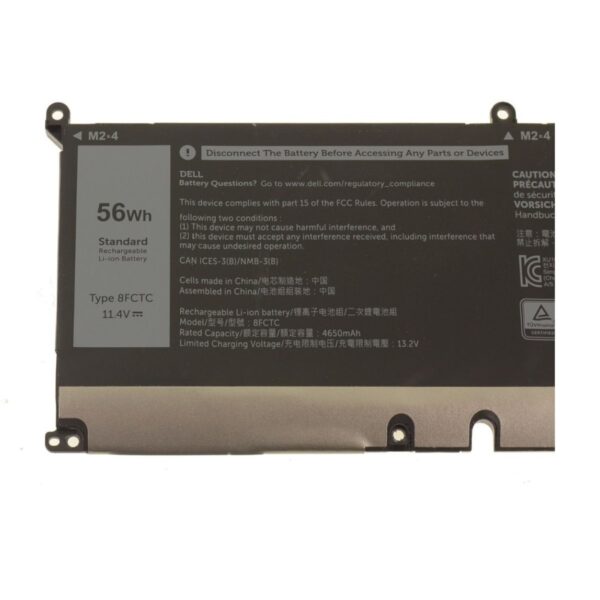
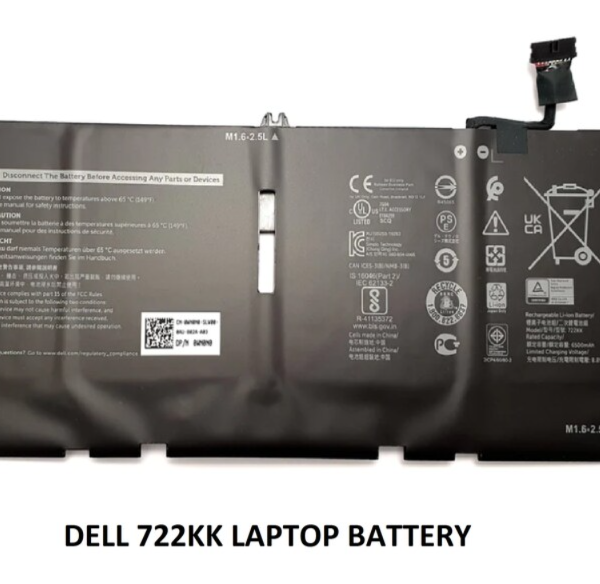
722KK Laptop Battery for Dell XPS 13 9300 9310 i5 FHD I7-1065G7 XPS 13 9380 Series 2020 Notebook 0WN0N0 WN0N0 02XXFW 2XXFW FP86V Laptop
Restore your Dell XPS 13’s original performance with this high-quality 722KK replacement battery. Engineered for a perfect fit and optimal power delivery, it provides reliable, long-lasting charge to keep you productive on the go.
- Guaranteed Compatibility: Precision-engineered for Dell XPS 13 models 9300, 9310, and 9380 (2020 Series).
- Direct OEM Replacement: Seamlessly replaces original part numbers including WN0N0, 0WN0N0, 2XXFW, 02XXFW, and FP86V.
- Superior Performance: Built with premium-grade cells to ensure extended battery life, faster charging, and consistent power output.
- Certified Safe: Features integrated circuit protection against overcharging, overheating, and short-circuiting for complete peace of mind.
-
 Discounts Shopping Event
Get 10% Discount On Online Payment USED PROMO CODE
ONLINE10
Original price was: ₹9,875.₹4,798Current price is: ₹4,798. 18% GST Included
Don't Miss Top Accessories
-
Pan India Delivery.
-
 100% Tested.
-
Secure Payments.
-
1 Lakh+ Order Delivered.
-
10 Days Easy Returns window.
-
Easy Replacement Within Warranty.
-
10-Day Money-Back Guarantee.
Specification
 Overview
| Warranty | 1 Year Warranty |
|---|
Description
Unlock unprecedented efficiency in your design workflow with AUTO-DRAFT, the definitive solution for automating tedious and repetitive drafting tasks. Engineered for precision and built for speed, this powerful tool integrates seamlessly into your existing CAD environment, allowing you to focus on creative design rather than manual documentation. By intelligently managing routine processes, AUTO-DRAFT minimises human error, enforces drafting standards, and dramatically accelerates project completion times. Elevate your productivity and ensure flawless consistency across all your drawings.
Key Features
- Automated Dimensioning & Annotation: Intelligently applies dimensions, labels, and annotations to drawing elements based on customisable, predefined rule sets, saving countless hours of manual work.
- Intelligent Layer Management: Automatically organises objects, lines, and blocks onto the correct layers according to your company’s or project’s specific standards, ensuring clean and structured files.
- Batch Processing Engine: Apply drafting standards, update title blocks, and perform cleaning operations on hundreds of drawings simultaneously with a single command.
- Dynamic Block & Symbol Insertion: Access a comprehensive library of standard symbols or integrate your own. The tool intelligently scales and places blocks, streamlining the creation of schematics and layouts.
- Real-Time Standards Compliance Checker: Actively monitors your work and flags any deviations from established drafting standards in real-time, preventing costly errors before they happen.
- Customisable Rule & Style Configuration: Tailor every aspect of the automation process. Define your own rules for dimensioning, layering, text styles, and more to perfectly match your unique workflow and standards.
- Seamless CAD Platform Integration: Functions as a lightweight, non-intrusive plugin within your primary CAD software, providing a native experience without disrupting your established workflow.
Benefits & Usage
AUTO-DRAFT is more than just a tool; it is a direct investment in productivity and quality. By automating the most time-consuming aspects of drafting, your team can reduce drafting time by up to 70%. This allows engineers and designers to dedicate their valuable expertise to innovation and problem-solving. The strict adherence to predefined standards enforced by the software ensures unparalleled consistency and accuracy across all project documentation, reducing rework and improving communication between teams, fabricators, and clients.
Ideal for architectural firms, engineering departments, and manufacturing design teams, AUTO-DRAFT is simple to implement. After a straightforward installation, configure your company standards through the intuitive user interface. Once set up, you can execute automation commands on-demand for specific tasks or enable background processing to ensure compliance as you work. It is the perfect solution for large-scale projects requiring strict quality control and for any organisation looking to standardise its design output.
Additional Information
Compatible CAD Software:
- Autodesk AutoCAD 2018 and newer (including verticals like AutoCAD Architecture & AutoCAD Mechanical)
- Autodesk Revit 2019 and newer
- BricsCAD V20 Pro and newer
- SOLIDWORKS 2018 and newer (for 2D drawing automation)
- ZWCAD 2020 and newer
System Requirements:
- Operating System: Windows 10 (64-bit), Windows 11
- Processor: 2.5–2.9 GHz processor or higher
- Memory (RAM): 8 GB minimum, 16 GB recommended
- Disk Space: 250 MB for installation
- Prerequisites: A licensed and installed version of a compatible CAD software is required.
License & Support:
This version of AUTO-DRAFT is offered with a free, perpetual license for individual and commercial use. The software is fully functional and does not contain watermarks or limitations on core features. Support is provided through our extensive online documentation and community forums. For dedicated enterprise support and advanced features, please inquire about our AUTO-DRAFT PRO subscription.
Installation:
Download the installer and run the executable file. The installation wizard will automatically detect compatible CAD software on your system and guide you through the simple setup process. Once installed, AUTO-DRAFT will be available within your CAD software’s plugin or add-in menu.
Customer Reviews
You must be logged in to post a review.
You may also like







Reviews
There are no reviews yet.